 Abbiamo Docs
Enviar pedido à transportadora
Enviando o pedido para o seu sistema
Para enviar o pedido do dashboard para o seu sistema com sucesso, é preciso preencher as seguintes informações:
- Um endereço de coleta suportado pela sua operação (lojas e armazéns)
- URL que receberá as requisições POST do nosso sistema
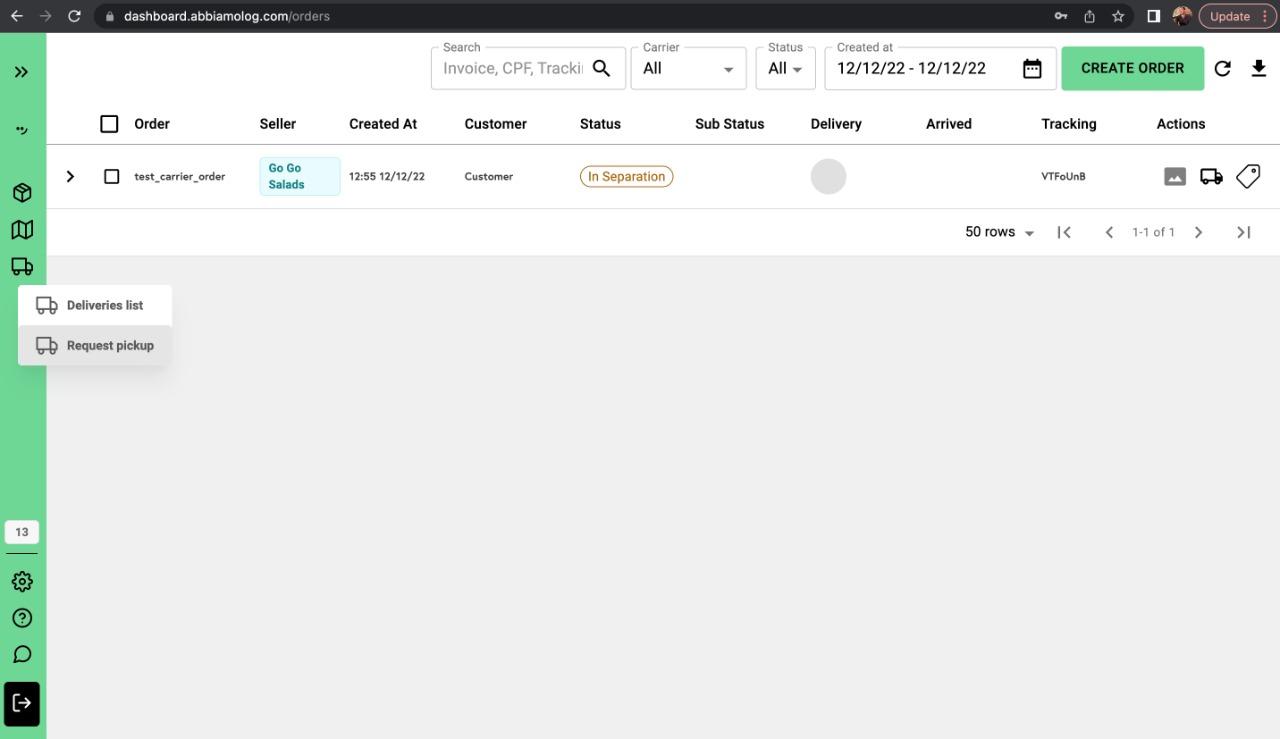
No dashboard, acesse a barra de navegação vertical à direita e clique no ícone de caminhão. Depois, clique em "Request Pickup" conforme indicado abaixo.
Ao clicar, abre um painel lateral à direita. Selecione a filial, a transportadora (seu logo e nome devem aparecer), o warehouse/loja (pickup_address) e os pedidos que serão enviados ao seu sistema.
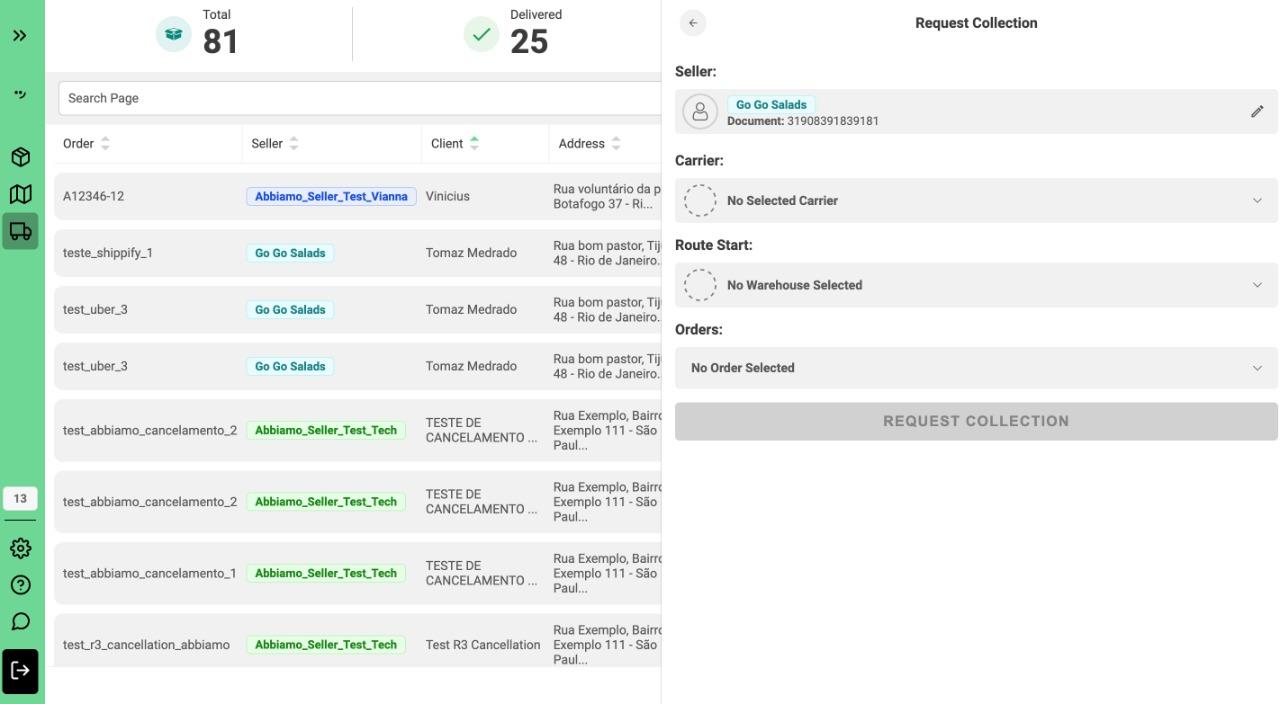
Após preencher todos os campos e clicar no botão "REQUEST COLLECTION", você deve receber uma requisição POST na URL que forneceu ao time da Abbiamo, conforme descrito aqui.